
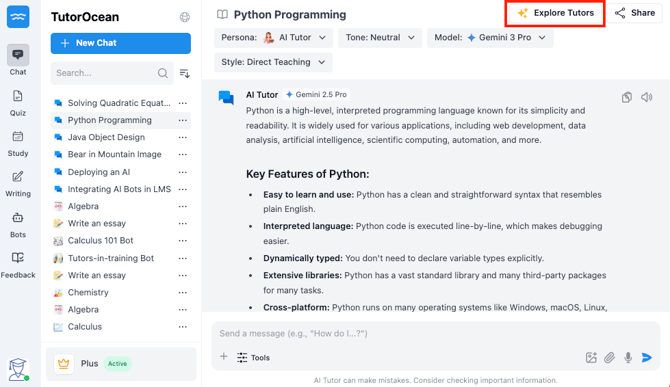
Connect with a human tutor at any time while using AI Tutor by clicking Explore Tutors. This opens a list of available tutors, allowing you to choose and book a session without leaving the platform, so you can continue learning without interruption.
Follow a single flow from AI to human support
Complete the entire process in just a few steps without leaving AI Tutor:
-
Start with AI Tutor
-
Launch the AI Tutor
-
Ask your question or review a concept
-
Use the response to identify where you need more help
-
-
Click Explore Tutors
-
Select Explore Tutors directly inside the AI Tutor interface
-
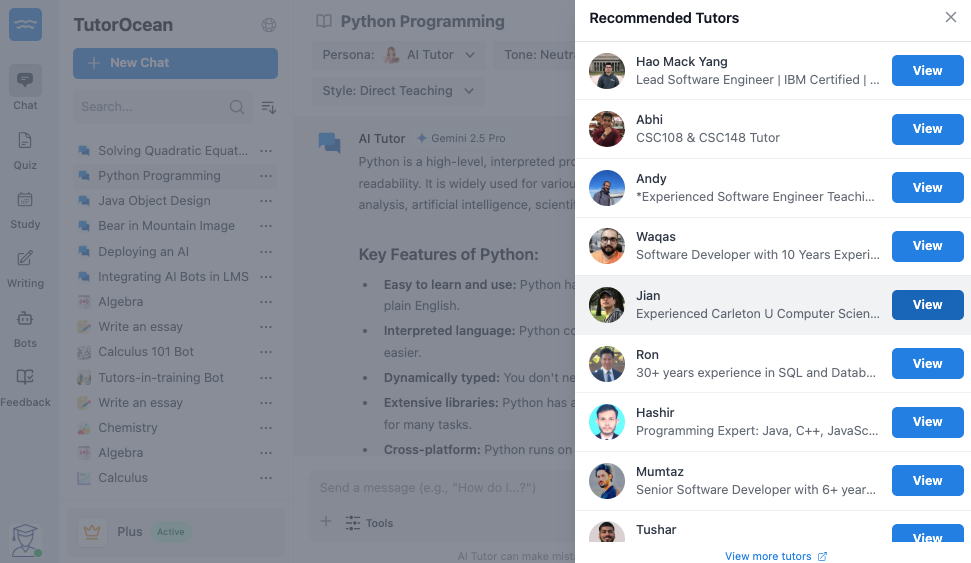
View a list of available tutors in real time
-
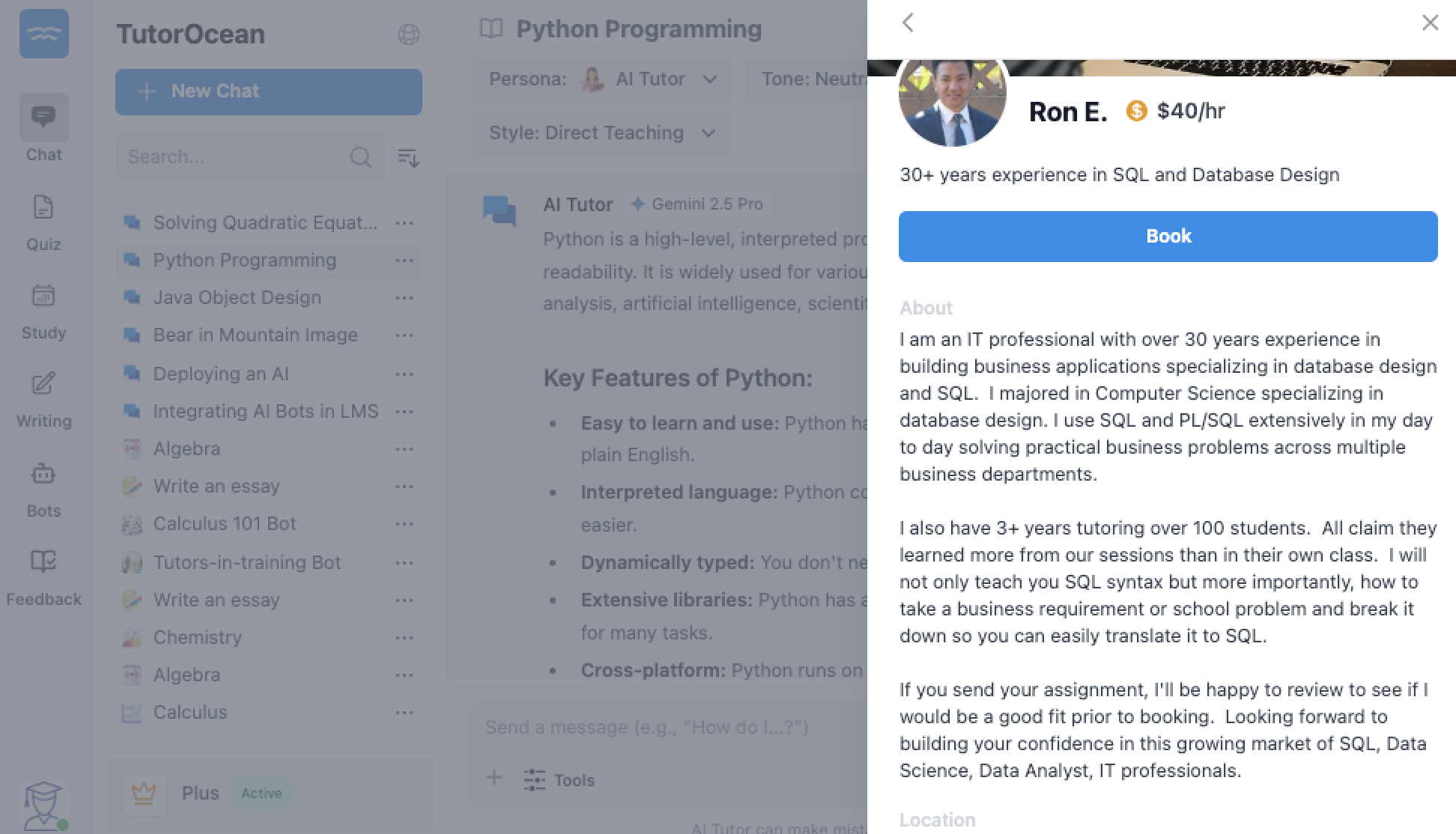
Compare options such as peer mentors, faculty, or professional tutors
-
-
Book a Session
-
Choose a tutor that fits your needs
-
Select an available time
-
Confirm your booking in the same platform
-
Understand how AI and human support work together
You get the most value when you use both AI and human support as part of the same learning flow.
| Step | Support Type | What You Get |
|---|---|---|
| 1 | AI Tutor | 24/7 Instant answers and practice help |
| 2 | Human Support | Deeper explanations and guidance |
| 3 | Combined | Stronger understanding and retention |
-
Start with AI Tutor for speed and availability
-
Move to humans for depth and connection
-
Stay in one platform without interruptions
This approach ensures you are supported at every stage of your learning.
Stay supported from start to finish
You can rely on this flow anytime you need help.
-
Use AI Tutor for fast, 24/7 support
-
Transition instantly to human tutors when needed
-
Book sessions without switching tools
-
Stay focused in one connected experience