
Communicate with students directly inside QuadC Connect using built-in messaging tools. You have two simple options. Use the Messages tab to reach students quickly, or continue conversations through the chat box for ongoing communication. Both methods keep all interactions in one place, helping you stay organized and responsive.
QuadC Connect is designed to centralize communication alongside scheduling and session management, so you do not need external tools to stay in touch with students. As part of a unified learning environment, messaging works seamlessly with your sessions and bookings.
When you message students through the platform, you keep all communication tied to their sessions, making it easier to track conversations and follow up when needed. This is especially useful when managing multiple students or services within one system.
Using built-in messaging also reduces delays and confusion. Students receive updates in the same place where they book and attend sessions, which improves engagement and keeps communication clear.
Send Messages Through the Messages Tab
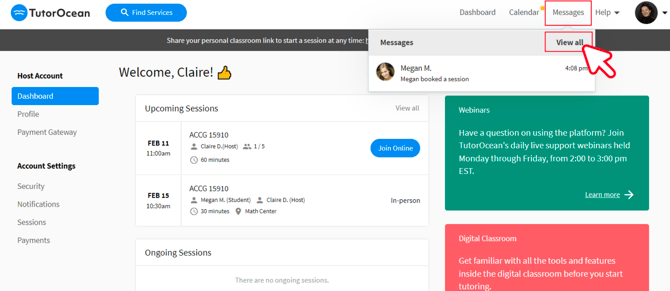
Use the Messages tab when you want to quickly reach students without an existing conversation.
-
Navigate to the Messages tab
-
Select the student you want to contact
-
Write and send your message
When to use it
-
Starting a new conversation
-
Sending reminders or updates
-
Sharing important session information
Continue Conversations Using the Chat Box
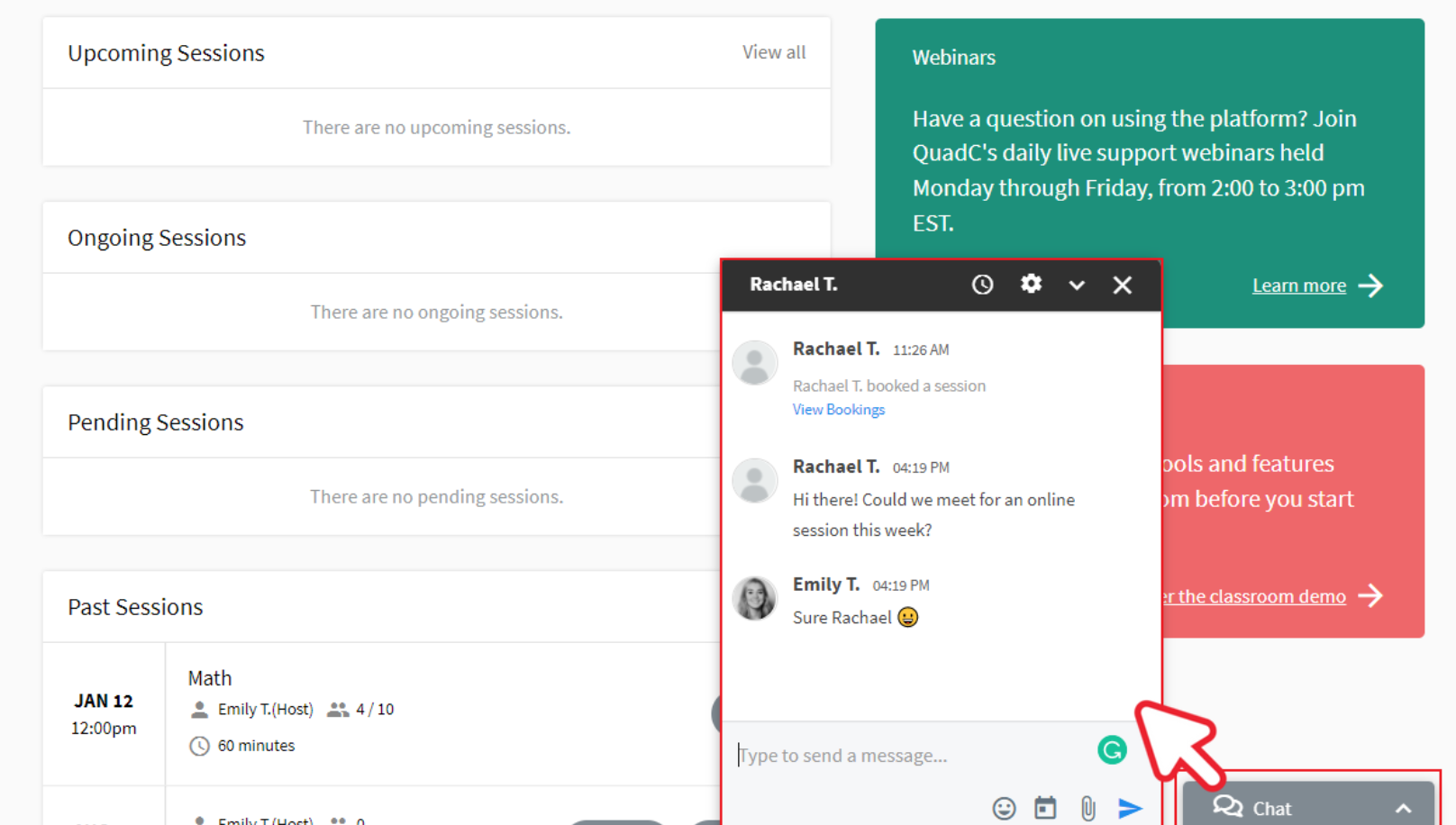
Use the chat box when you already have an active conversation with a student.
-
Open an existing conversation
-
Use the chat interface to send messages in real time
When to use it
-
Following up after a session
-
Answering student questions
-
Maintaining ongoing discussions
Keep Communication Organized and Scalable
Messaging in QuadC Connect is built to support how you manage services, not just send messages.
-
You communicate without leaving the platform
-
You maintain clear records tied to each student
-
You reduce missed messages and disconnected tools
This approach helps you scale communication as your number of students grows, while still keeping each interaction clear and personal.