
Create, customize, and share tests using QuadC AI. Select your content source and question types to generate assessments tailored to your needs in a single workflow, saving time while improving learning outcomes through adaptive and AI-supported assessment. You can build test from public, personal, or institutional content, refine questions using different AI models, and deliver them without leaving the platform.
Select the Content Source for Your Test
Start by choosing where your test content comes from. This determines how relevant and contextual your generated questions will be.
| Content Type | Description | How It Supports You in QuadC AI |
|---|---|---|
| Public Content | Generate test on any topic using knowledge available online | Helps you quickly assess broad concepts without preparation |
| Personal Content | Use your own notes, materials, or documents | Aligns tests directly with your lessons or curriculum |
| Institutional Content | Pull from content provided by your organization's AI bots | Keeps assessments consistent across departments |
By selecting the right source, you ensure your test reflects real learning objectives. This is a core part of how QuadC AI supports adaptive learning at scale.
Set the Difficulty Level to Match Learning Needs
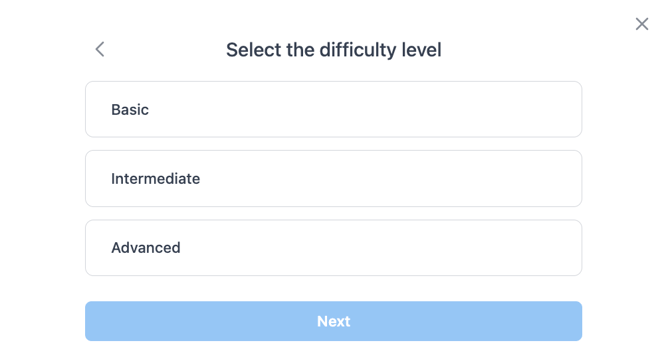
Control how challenging your quiz will be by selecting a difficulty level. This helps you match assessments to different stages of learning.
-
Basic
Reinforces foundational knowledge and core concepts -
Intermediate
Tests understanding and application of ideas -
Advanced
Challenges learners with deeper analysis and critical thinking
Adjusting difficulty ensures that your quiz is not too easy or too difficult. In QuadC AI, this directly supports better engagement and more accurate assessment outcomes.
Configure Question Types and Topics
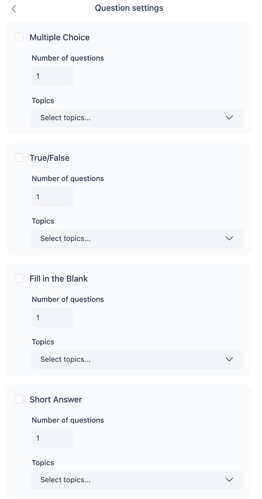
Customize the structure of your test by selecting question types, number of questions, and topics.
Question Types
-
Multiple Choice
-
True/False
-
Fill in the Blank
-
Short Answer
Customization Options
-
Set the number of questions per type
-
Select one or multiple topics per type
-
Topics are automatically generated based on your initial content selection
This level of control allows you to build test that reflect real learning goals. In QuadC AI, question variety helps reinforce knowledge and test different cognitive skills.
Generate and Refine Your Test
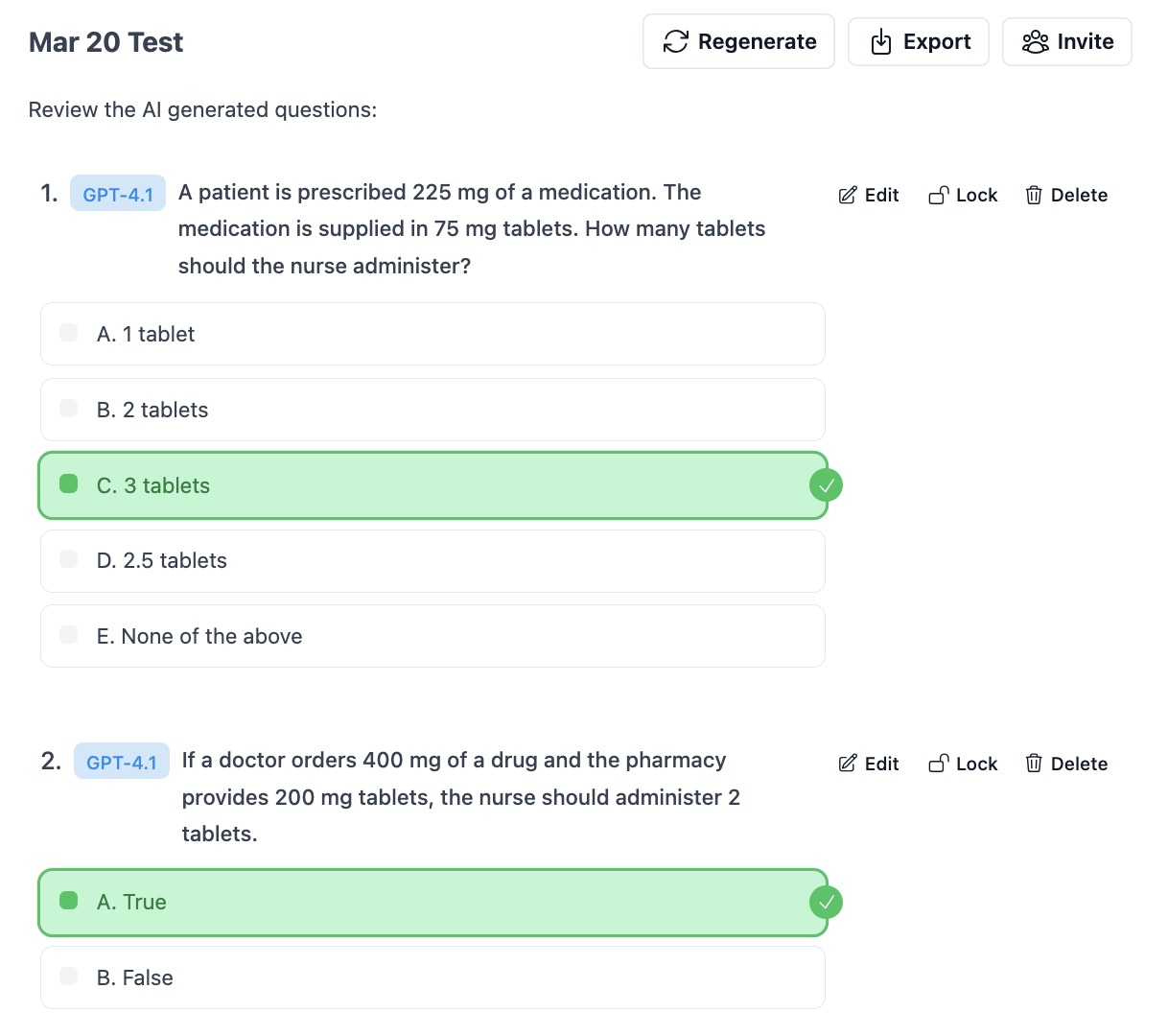
Once your settings are ready, you generate your quiz instantly using GPT model. From there, you can refine it to match your exact expectations.
What You Can Do After Generation
-
Edit questions for clarity or accuracy
-
Lock questions you want to keep unchanged
-
Delete any irrelevant questions
-
Regenerate questions using a different AI model
-
Generate additional questions using the same settings
-
Mix models to create more diverse assessments
This step ensures your quiz meets both academic and institutional standards. QuadC AI keeps you in control while still saving time.
Use Different AI Models
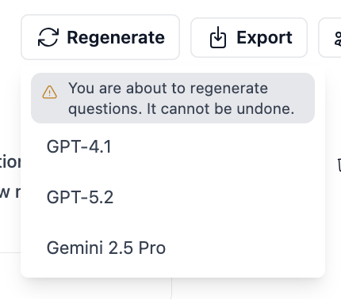
Select which AI model will regenerate your test questions. This gives you flexibility in how content is created.
-
Use different models for different tones or complexity
-
Regenerate questions with another model if needed
-
Compare outputs to improve quality
This feature ensures you are not locked into a single approach. Within QuadC AI, it strengthens reliability and supports AI literacy by exposing you to multiple model perspectives.
Share or Export Your Quiz
Once your quiz is ready, you can easily distribute it to learners.
-
Export the quiz as a PDF
-
Invite students to complete the quiz directly in the platform
This ensures a smooth transition from creation to delivery. With QuadC AI, you keep everything centralized, making it easier to manage and track learning progress.
Use QuadC AI to Improve Assessment and Learning Outcomes
By using QuadC, you streamline quiz creation while improving quality and relevance. Every step, from content selection to distribution, is designed to support adaptive learning and better outcomes.