
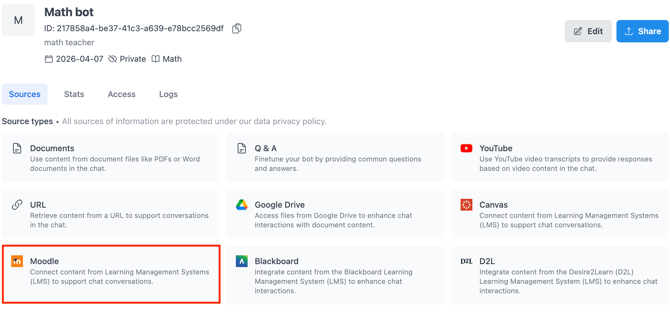
Connect QuadC to Moodle using Learning Tools Interoperability (LTI) to deliver AI-powered learning support, enable earlier interventions, and provide learning and support services inside your LMS. This integration keeps everything in one place, so students and educators access QuadC without switching platforms, while your institution benefits from standardized setup, reduced integration effort, and consistent user experiences.
Access QuadC Directly Within Moodle
Launch QuadC products inside Moodle as embedded or linked activities using LTI. This creates a seamless experience for both students and educators.
QuadC integration with Moodle enables institutions to:
- Access QuadC products without leaving Moodle
- Reduce friction for students and faculty
- Maintain consistent navigation and workflows
- Eliminate the need for separate logins
How it connects to QuadC products:
- QuadC AI: Launch AI-powered support directly inside courses.
- QuadC Early Alerts: Surface risk indicators from LMS .
- QuadC Connect: Enable real-time communication tied to course context
Scale Integration Across Your Institution
Rely on LTI to standardize and scale how QuadC integrates with Moodle.
Key benefits:
- Reduce time and cost of integration
- Add new tools without rebuilding connections
- Maintain security and consistency
- Support institution-wide deployment
How it connects to all QuadC products:
- QuadC AI, QuadC Early Alerts, and QuadC Connect all use the same LTI framework
- Deploy once and scale across courses and programs
- Maintain centralized control while supporting diverse use cases
Understand Integration Capabilities at a Glance
| Capability | What It Means in Moodle | Product |
|---|---|---|
| Course Context | Use LMS data for personalization | QuadC AI |
| At-Risk Students Tracking | Monitor student indicators | QuadC Early Alerts |
| Student Support | Allow students to connect to support services | QuadC Connect |
| Scalable Setup | Standardized LTI integration | All products |
Deliver AI-Powered Learning Support in Context
Embed AI support directly into Moodle courses, so students receive help exactly when they need it.
What you can do:
- Provide 24/7 course-specific AI assistance
- Support assignments, readings, and assessments in real time
- Keep human instructors in the loop
How it connects to QuadC AI:
- Delivers adaptive learning support through course-specific AI Bots
- Uses course content to generate relevant responses
- Scales support without increasing staff workload
Identify At-Risk Students Earlier
Use Moodle activity data combined with QuadC Early Alerts to detect and act on risk signals sooner.
What you can do:
- Monitor engagement and participation trends
- Flag students who may need intervention
- Trigger timely support actions
How it connects to products QuadC Early Alerts:
- Uses LMS data to identify risk patterns
- Helps you intervene before issues escalate
- Improves retention and student outcomes
Keep Communication and Support in One Place
Manage student support and communication in one platform, so learners can easily connect with the help they need.
What you can do:
- Centralize tutoring, advising, and support services in one place
- Let students connect to the right support quickly and seamlessly
- Keep communication tied to course and student context
- Coordinate outreach across teams without fragmented tools
How it connects to products QuadC Connect:
- Enables structured communication tied to courses
- Supports coordinated student outreach
- Strengthens engagement across the learning journey
Expand What Moodle Can Do with QuadC
Extend Moodle beyond content delivery by embedding AI, student support services, and early intervention into everyday workflows. This integration helps you support more students, act earlier, and maintain consistency across your institution.