










%20logo.png?width=500&height=250&name=Abraham%20Baldwin%20Agricultural%20College%20(ABAC)%20logo.png)

.png?width=500&height=250&name=maryville%20university%20logo%20(2).png)





.png?width=500&height=250&name=university%20of%20south%20carolina%20logo%20(2).png)




Feature |
QuadC AI |
Nectir AI |
|
| AI model control | Multiple AI models |  |
 |
| Switch between AI models | |
 |
|
| Features for students and educators | Custom Chat Bots | |
|
| Group Chat (students & AI) | |
|
|
| Socratic Mode | |
|
|
| Connect students to subject experts | |
|
|
| Features for administrators | Early Alerts powered by AI | |
|
| AI Campus Support | |
|
|
| LMS integration | Connect with Brightspace, Canvas, Moodle, and Blackboard | |
|
| Licensing model | Shared-Seat | |
|
| Privacy & Security | Data Stays Institution-Controlled | |
|
| Queries not used for model training | |
|
|
| Reporting & Analytics | Engagement report | |
|
| Learning gaps | |
|
|
| Sentiment / Concern Detection | |
|
|
AI model
Both QuadC AI and Nectir AI allow access to multiple AI models (such as GPT, Gemini, and Claude) and support specialized bots. However, the critical difference lies in control and utility.
QuadC AI empowers both students and educators to actively switch between models within the same tool. This hands-on comparison is essential for building AI literacy, as it allows learners to see how different models reason and detect hallucinations. Nectir AI, in contrast, restricts model selection to the instructor during the assistant's creation. Students interact with whichever single model the instructor chose, limiting their ability to explore or critique different AI outputs.
Feature |
QuadC AI |
Nectir AI |
| Multiple AI models (GPT, Gemini, Claude, or your institution’s own model) | |
|
| AI literacy development | |
|
| Promote critical thinking with guidance | |
|
| Specialized bots | |
|
Features for students
QuadC AI extends this experience by adding structured learning support on top of collaboration. Human-AI Integration connects students to live tutors or advisors when AI bots alone are not enough. QuadC also includes writing tools, essay feedback, and prebuilt educational workflows that keep learning focused and academically aligned, while Nectir AI emphasizes conversation and collaboration without dedicated writing or reasoning tools.
Feature |
QuadC AI |
Nectir AI |
| AI Tutor Chat | |
|
| Recommended human experts | |
|
| Group chat (multiple humans and AI bots) | |
|
| Socratic Mode | |
|
| Q&A Feedback | |
|
| Quizzes | |
|
| Study planning | |
|
| Writing tool | |
|
| Course-specific bots | |
|
| Essay feedback tool | |
|
Features for educators
Both QuadC Ai and Nectir AI enable educators to create custom bots using course materials and support real-time collaboration with students through group chat. This allows instructors to answer questions, guide discussions, and provide AI-powered support directly within shared learning spaces.
QuadC AI takes a more academic and control-oriented approach. Along with custom course bots, it adds structured learning workflows, like a dedicated Lesson Planner and Quiz Generator. While Nectir relies on chat-based templates to perform these tasks, QuadC provides specialized interfaces designed to streamline the creation process.
Feature |
QuadC AI |
Nectir AI |
| AI Chat | |
|
| Group chat (multiple humans and AI bots) | |
|
|
Lesson planner |
|
|
| Quiz generator | |
|
| Custom bots | |
|
| Feedback and grading | |
|
| Reporting | |
|
| Sentiment Analysis | |
|
Features for administrators
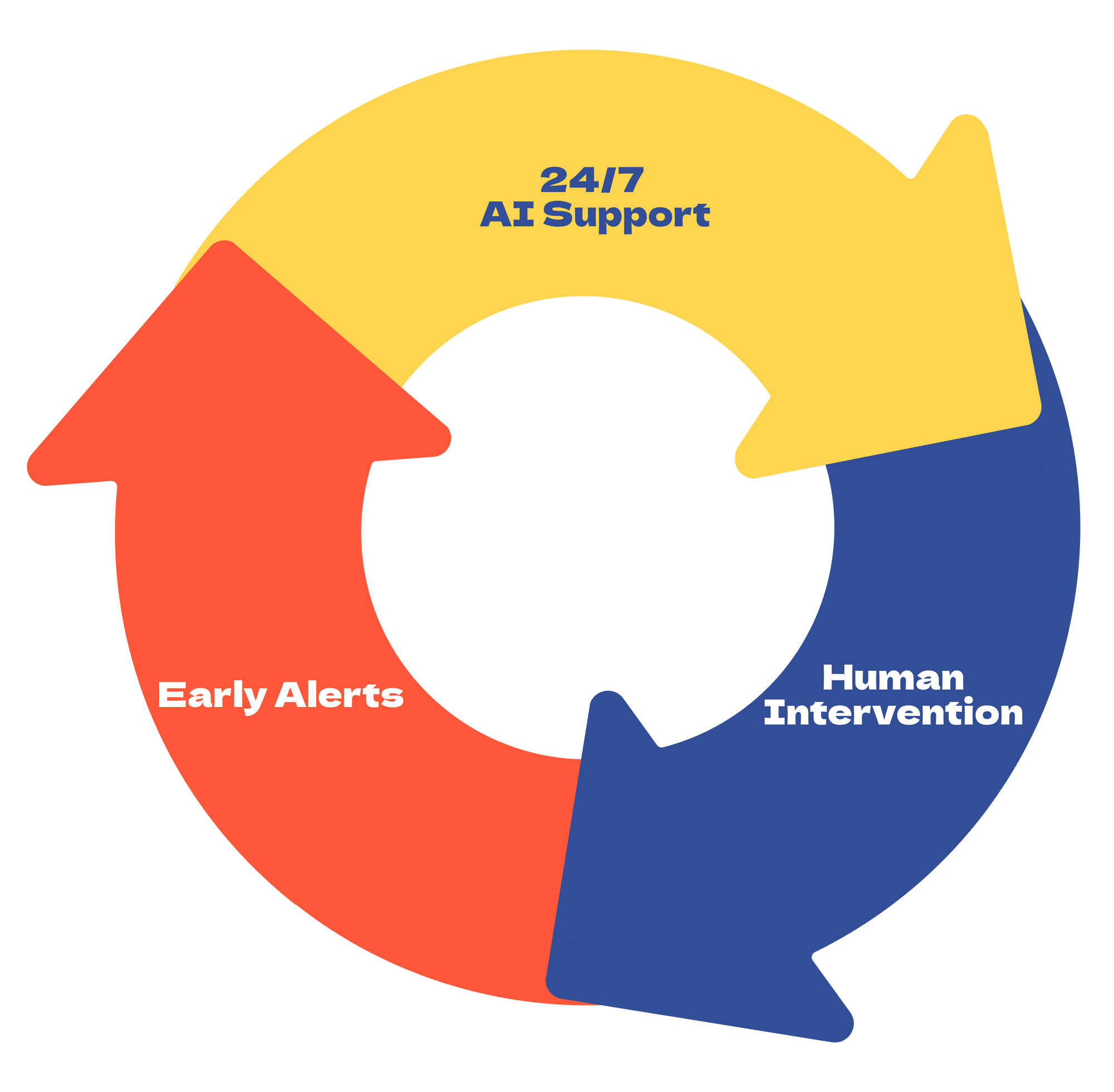
QuadC AI adds education-specific insight on top of this visibility. Administrators can identify learning gaps, receive early-alert signals for students who may need support, and track seat demand across campus. QuadC also includes AI Campus Support tools, such as embeddable support bots and escalation to human experts, helping institutions connect AI usage directly to student services and operational decisions rather than just activity tracking.
Feature |
QuadC AI |
Nectir AI |
| Human-AI integration (access to subject experts) | |
|
| Admin portal | |
|
| Reporting & Analytics | |
|
| Early alerts powered by AI | |
|
| AI campus support | |
|
LMS integration
While both QuadC and Nectir deliver frictionless, single-sign-on access to course-specific bots within the LMS, QuadC sets itself apart by embedding a complete academic support system, spanning course-native AI tutoring, assessment grading, early risk alerts, and human support escalation, directly inside LMS modules to drive stronger student adoption and outcomes.
Feature |
QuadC AI |
Nectir AI |
| Brightspace D2L | |
|
| Canvas | |
|
| Moodle | |
|
| Blackboard | |
|
Licensing model
While both QuadC AI and Nectir offer flexible licensing that supports institutional needs and predictable costs, QuadC has a unique shared-seat model that allows institutions to scale their AI tools across campus, without paying for each unique user. This cost-effective model makes it possible for institutions to implement a campus-wide AI solution at a reasonable price.
Feature |
QuadC AI |
Nectir AI |
| Shared-seat | |
|
| Fixed site-license | |
|
Privacy & Security
Feature |
QuadC AI |
Nectir AI |
| Data stays institution-controlled | |
|
| Queries not used for model training | |
|
|
FERPA compliance |
|
|
| Role-based access & admin permissions | |
|
Reporting & Analytics
Both QuadC AI and Nectir AI track engagement and usage. QuadC AI goes further by surfacing learning gaps, sentiment signals, and intervention opportunities. These insights help faculty and administrators proactively support students, improve outcomes, and ensure equitable access to AI resources. Nectir’s analytics focus more on participation and activity within collaboration environments.
Feature |
QuadC AI |
Nectir AI |
| Engagement report | |
|
| Learning gaps | |
|
| Sentiment Analysis / Concern Detection | |
|
| Seat demand report | |
|