
If you forgot your password, you can reset it in a few simple steps. Just use the Forgot Password option on the login page, enter your registered email address, and follow the instructions sent to your inbox. You will regain access to your account quickly and securely.
Access the Login Page
Start by going to the login page and clicking Log In.
-
If your institution uses a custom access point, confirm you are on the correct page.
-
Double check that you are not already signed in under a different account.
Select the Password Reset Option
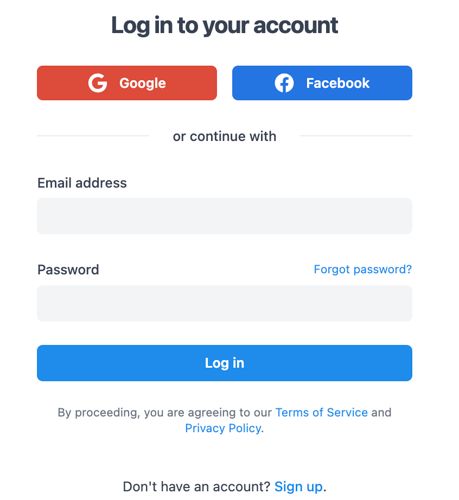
Click Forgot Password? below the login form.
This option allows you to securely request a reset link. It is designed to protect your account and ensure that only you can create a new password.
If the link does not appear, refresh the page or clear your browser cache before trying again.
Enter Your Registered Email
Type the email address associated with your account.
After submitting your email, you should receive a password reset message within a few minutes.
Follow the Email Instructions
Open the email and click the reset link provided.
-
Create a strong, secure password.
-
Avoid reusing old passwords.
-
Confirm the new password when prompted.
Once completed, you can log in immediately using your new credentials.