
Submit your assignment directly through QuadC Connect and receive structured feedback from an expert. In just a few steps, you upload your work, set your deadline, and request support. This keeps everything organized inside your learning environment and ensures your assignment is reviewed on time.
Access the Assignment Help Tool
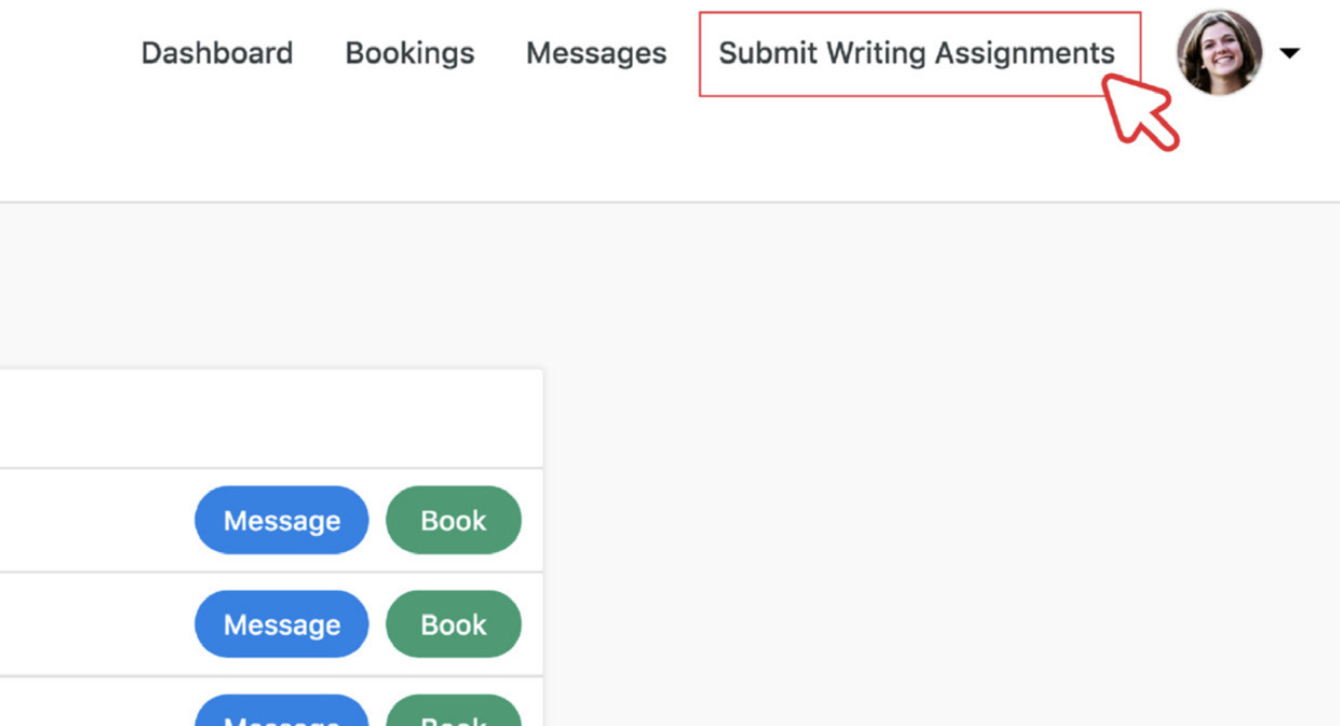
To begin, navigate to Submit Assignments inside QuadC Connect. Then click Request Assignment Help.
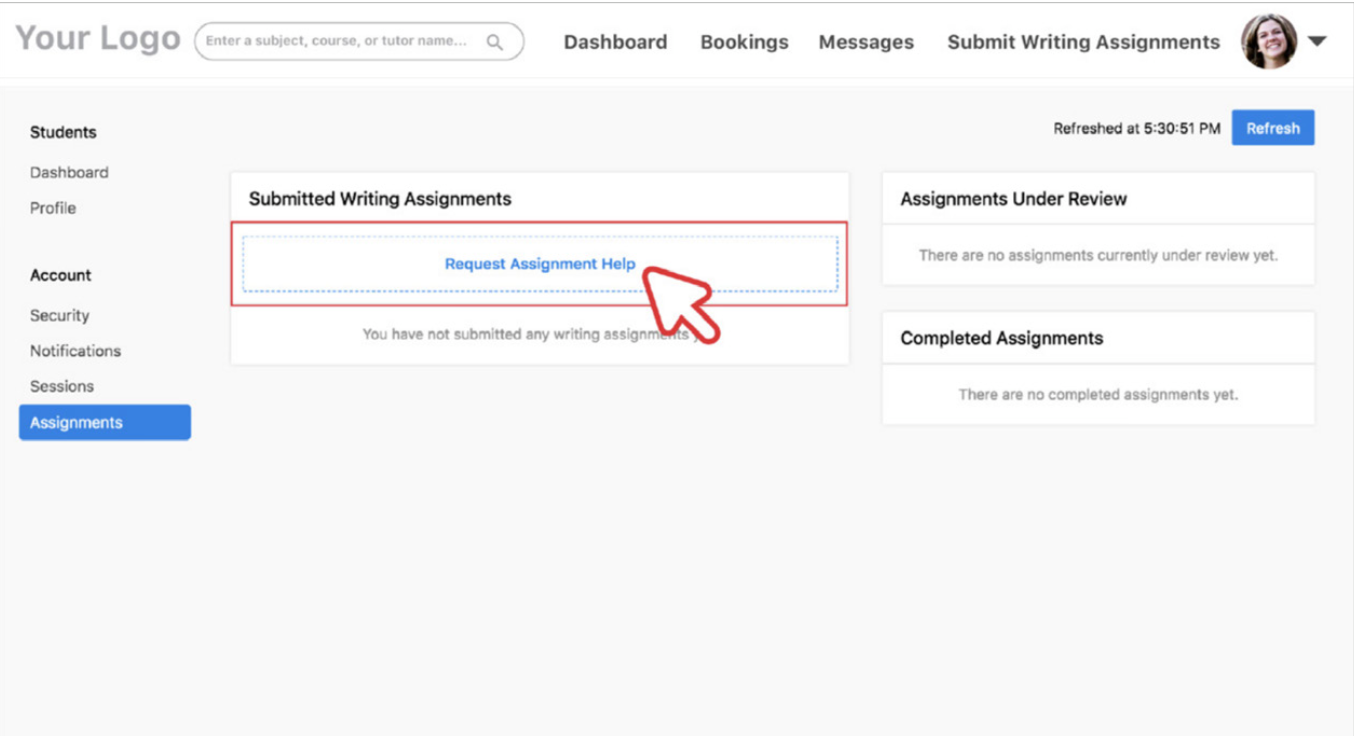
This action opens a structured submission form designed to:
-
Capture your assignment details clearly
-
Help instructors understand your goals
-
Align feedback with your academic requirements
Because this tool is built into QuadC, your submission stays connected to your course, instructor, and support workflow. You are not emailing files back and forth. Everything lives inside the platform for easy tracking and follow-up.
Complete the Required Assignment Details
Fill out all required fields before submitting. This typically includes:
-
Title of your assignment
-
Description with clear instructions or prompts
-
Deadline for review
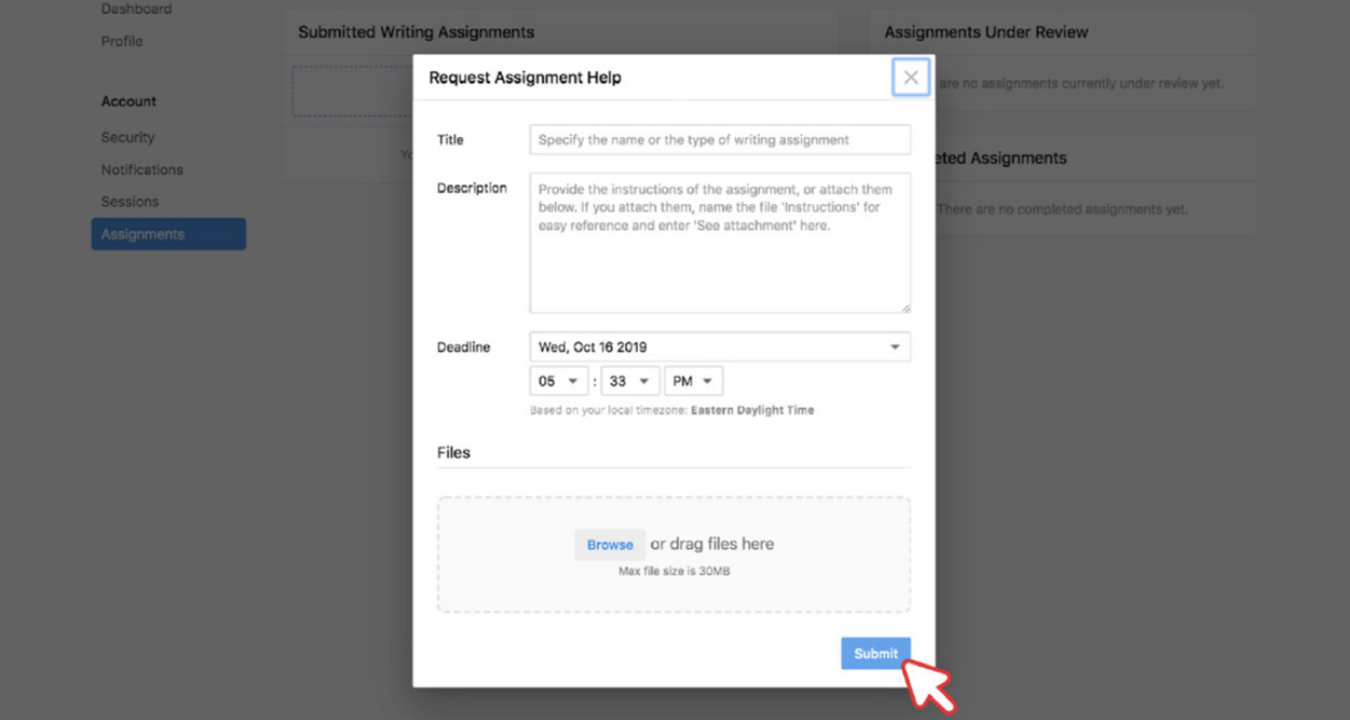
Providing detailed information improves the quality of feedback you receive. The more context you give, the more targeted the instructor’s guidance will be.
Here is how your input supports better results:
| Field | Why It Matters | How It Improves Feedback |
|---|---|---|
| Title | Identifies the assignment | Helps instructors quickly understand the task type |
| Description | Explains instructions and expectations | Ensures feedback aligns with grading criteria |
| Deadline | Sets turnaround expectations | Helps instructors prioritize your request |
This structured process is designed to support academic success within the QuadC Connect.
Upload Your Assignment File
Attach at least one file before submitting your request.
Your uploaded file allows the instructor to:
-
Review your writing directly
-
Provide in-line or structured feedback
-
Suggest revisions tied to your draft
Make sure your file is complete and formatted according to your instructor’s requirements. Submitting a clean draft helps you receive more precise recommendations.
All files remain securely stored within QuadC, keeping your academic work centralized and organized.
Submit Your Request and Track Progress
After completing all fields and attaching your file, click Submit.
Once submitted:
-
Your request is sent directly to an instructor
-
The review process begins
-
You can monitor progress inside your QuadC environment
This workflow removes confusion about where your assignment stands. You stay informed and connected throughout the process.
Submitting assignments through QuadC helps you:
-
Keep all files and communication in one place
-
Set clear deadlines for faster turnaround
-
Receive guided support aligned with your course
-
Track your requests inside your learning platform
Each step in this process is designed to keep your academic support structured, efficient, and fully integrated within QuadC.