
Message hosts directly from your account using built-in tools inside the platform. Whether you start a new conversation or continue an existing one, everything stays organized in one place so you can quickly get the support you need. QuadC centralizes communication, making it easier for you to connect with tutors, instructors, or support staff without switching tools.
Access Messages From the Main Navigation
Start a new message or continue an existing conversation directly from your Messages area.
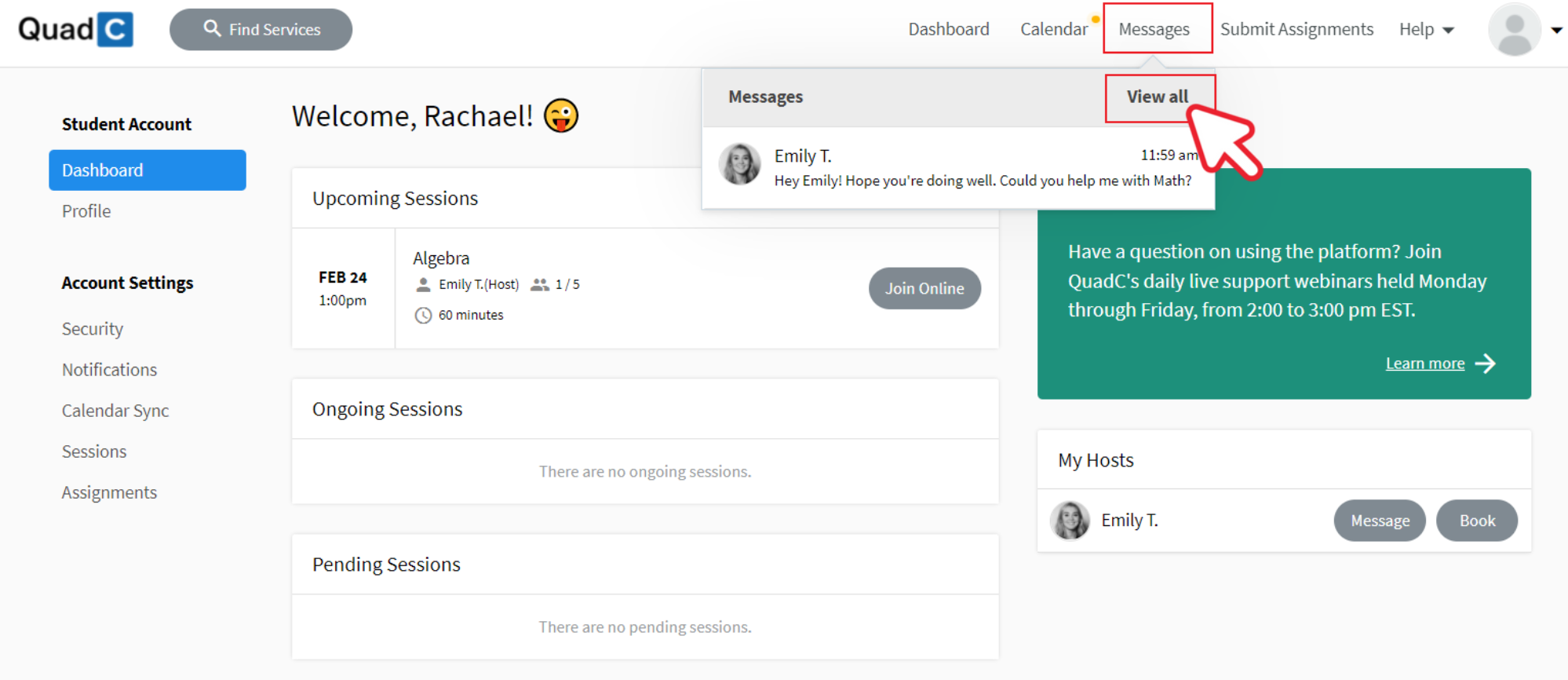
When you use QuadC’s built-in communication system, you:
-
Keep all conversations tied to your account
-
Avoid email back-and-forth outside the platform
-
Maintain a clear record of past discussions
-
Stay aligned with your scheduled sessions and services
By keeping messaging centralized, QuadC supports a structured and trackable learning experience. You stay focused on outcomes instead of managing scattered communication.
Continue Conversations Through the Chat Box
You can quickly respond to ongoing conversations using the chat box inside your account.
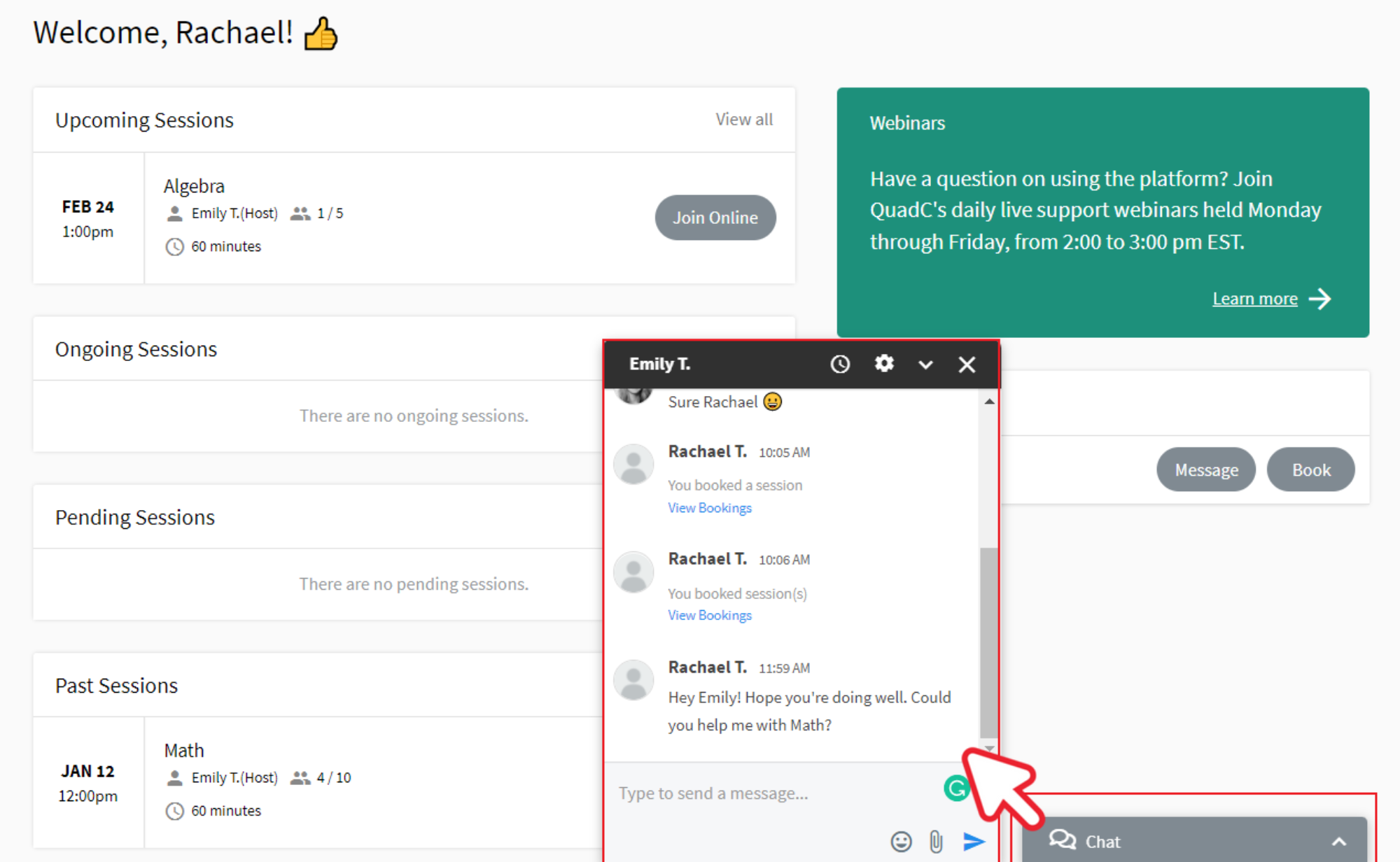
This allows you to:
-
Reply in real time
-
Clarify session details
-
Share updates before scheduled meetings
-
Ask follow-up questions without starting a new thread
Message Hosts via Dashboard
You can also message hosts directly from your dashboard, giving you fast access to chat alongside your bookings and activity.
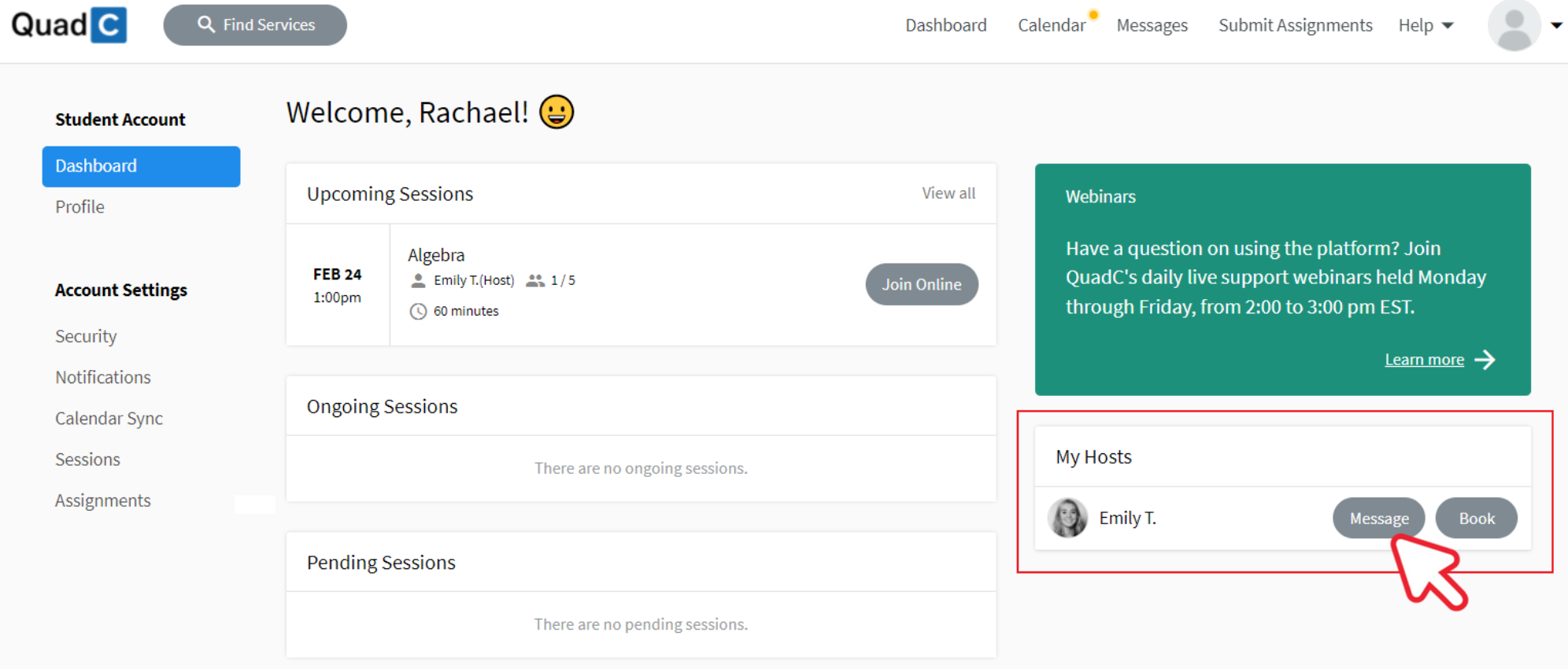
From your dashboard, you can:
-
Track ongoing support
-
Send direct messages to hosts
-
Monitor conversation history
This design keeps communication contextual. When you message a host, you can reference active sessions, shared resources, or course-related services in the same space.
By using QuadC’s messaging tools, you maintain structured communication, faster response times, and stronger collaboration with hosts. Everything stays connected to your learning journey.